


Download the NC HUD Script for FiveM (QB-Core) — a modern, flexible, and performance-optimized heads-up display designed to give players a fully immersive roleplay experience. Featuring multiple HUD styles, this advanced interface displays all essential player and vehicle information in a clean, dynamic layout.
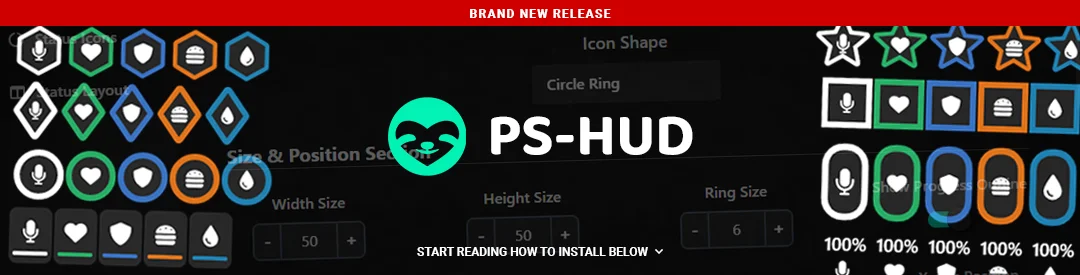
The NC HUD includes health, armor, hunger, thirst, and stamina indicators, along with a vehicle speedometer, fuel gauge, and gear display for complete in-game awareness. Players can switch between different HUD designs to match their preference, while server owners can easily customize every aspect of the UI — from colors and opacity to individual element visibility.
✔ Compatible with QBCore Framework
✔ Displays Player Stats: Health, Armor, Hunger, Thirst & Stamina
✔ Vehicle HUD: Speedometer, Fuel, and Gear Indicators
✔ Multiple HUD Styles & Layouts
✔ Customizable Colors, Transparency & Positioning
✔ Optimized for Performance (Low Resmon Usage)
Installation Guide:
 Download and extract the nc-hud folder.
 Move it to your server’s resources/[hud]/ directory.
 Open your server.cfg and add:
ensure nc-hud
 Open config.lua to adjust settings — choose HUD styles, modify colors, enable/disable hunger & thirst, or reposition elements.
 Restart your server to apply all changes.
How It Works:
 Players can switch between multiple HUD modes.
Shows player health, armor, hunger, thirst, and stamina dynamically.
Displays vehicle stats like speed, fuel, and gear in real time.
Fully integrated with QBCore’s inventory and player status systems.
Enhance your roleplay experience with the FiveM NC HUD — a feature-rich, performance-focused, and customizable user interface that delivers style and functionality for every type of server.
Keywords: FiveM NC HUD, QBCore HUD, multi-style HUD, speedometer HUD, vehicle UI FiveM, player stats HUD, hunger and thirst display, nc-hud script, roleplay HUD, optimized FiveM UI
The NC HUD includes health, armor, hunger, thirst, and stamina indicators, along with a vehicle speedometer, fuel gauge, and gear display for complete in-game awareness. Players can switch between different HUD designs to match their preference, while server owners can easily customize every aspect of the UI — from colors and opacity to individual element visibility.
✔ Compatible with QBCore Framework
✔ Displays Player Stats: Health, Armor, Hunger, Thirst & Stamina
✔ Vehicle HUD: Speedometer, Fuel, and Gear Indicators
✔ Multiple HUD Styles & Layouts
✔ Customizable Colors, Transparency & Positioning
✔ Optimized for Performance (Low Resmon Usage)
Installation Guide:
Download and extract the nc-hud folder. Move it to your server’s resources/[hud]/ directory. Open your server.cfg and add:ensure nc-hud
Open config.lua to adjust settings — choose HUD styles, modify colors, enable/disable hunger & thirst, or reposition elements. Restart your server to apply all changes.How It Works:
Players can switch between multiple HUD modes. Shows player health, armor, hunger, thirst, and stamina dynamically. Displays vehicle stats like speed, fuel, and gear in real time. Fully integrated with QBCore’s inventory and player status systems.Enhance your roleplay experience with the FiveM NC HUD — a feature-rich, performance-focused, and customizable user interface that delivers style and functionality for every type of server.
Keywords: FiveM NC HUD, QBCore HUD, multi-style HUD, speedometer HUD, vehicle UI FiveM, player stats HUD, hunger and thirst display, nc-hud script, roleplay HUD, optimized FiveM UI
Last edited by a moderator: