


Download the FiveM Pause & Report Menu for QB-Core and give your players a fast, professional way to report issues directly from the in-game pause menu. This modern system lets users pause the game, open a built-in report interface, and instantly send feedback or bug reports to staff — all without leaving the server.
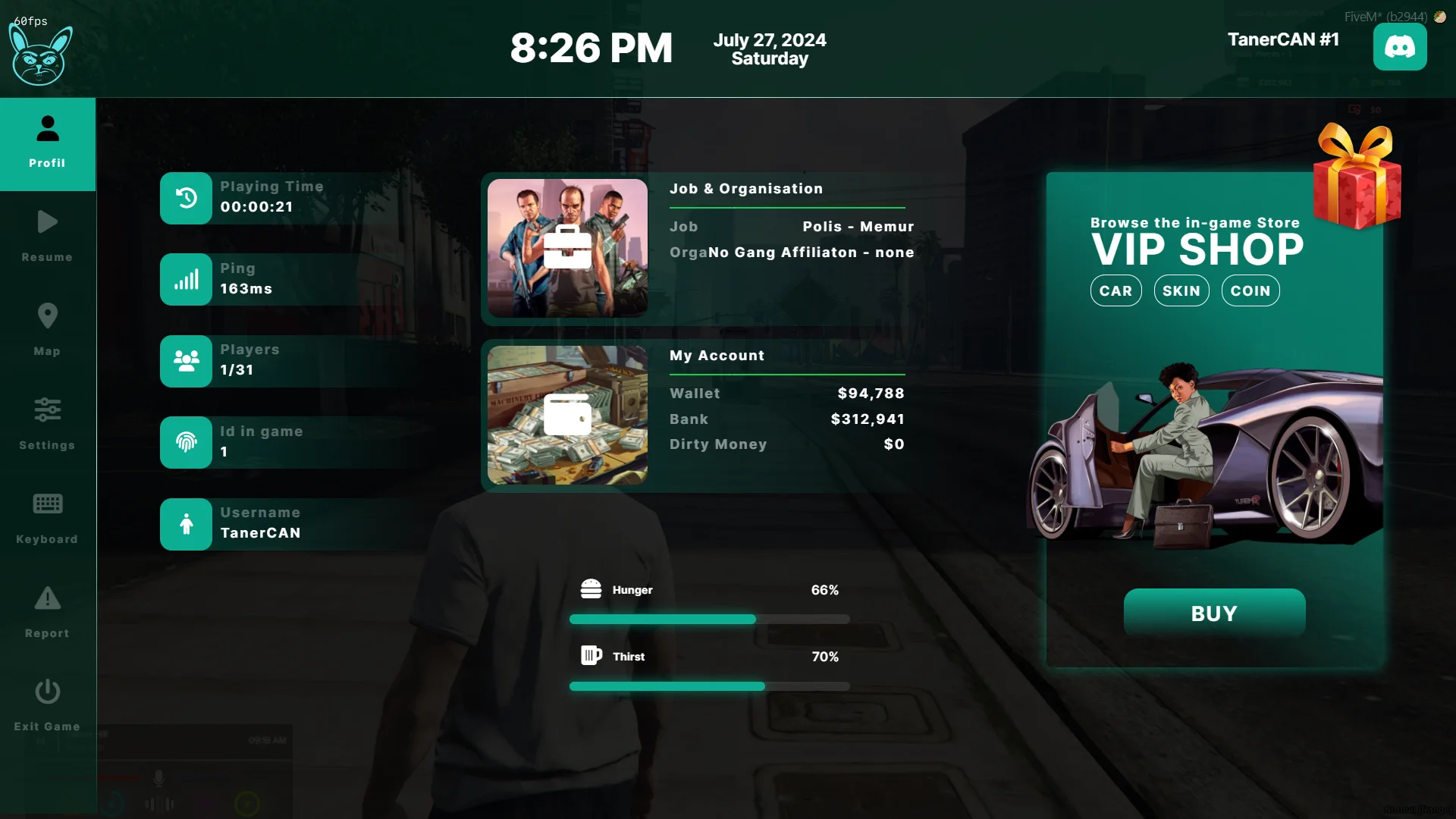
Designed for roleplay and community servers, this script streamlines communication between players and admins, reducing support clutter and improving response times. It integrates smoothly with existing QB-Core functions and works efficiently with minimal performance impact.
✔ Compatible with QB-Core Framework
✔ Pause & Report System: Players can file reports mid-game
✔ Customizable Menu Design: Edit text, colors, and branding
✔ Instant Admin Notifications: Reports appear immediately in staff logs or Discord (if enabled)
✔ Lightweight & Optimized: Zero lag, low resmon usage
Key Features:
 Modern Pause Menu Integration: Report system built into the pause interface.
 Real-Time Reporting: Players submit bugs, rule violations, or feedback easily.
 Fully Configurable: Customize the layout, categories, and notification system.
 Seamless Installation: Ready to use with any QB-Core-based roleplay setup.
Installation Guide:
 Extract the downloaded folder.
 Move it into your server’s resources directory.
 Add ensure pause-reportmenu to your server.cfg.
 Restart your server and test the menu in-game.
The FiveM Pause & Report Menu brings efficiency and polish to your server’s administration workflow, helping staff respond faster and keeping the community experience smooth and transparent.
Keywords: FiveM pause report menu, QB-Core report system, in-game reporting script, bug report FiveM, admin report tool, roleplay server menu, optimized pause menu, report UI FiveM
Designed for roleplay and community servers, this script streamlines communication between players and admins, reducing support clutter and improving response times. It integrates smoothly with existing QB-Core functions and works efficiently with minimal performance impact.
✔ Compatible with QB-Core Framework
✔ Pause & Report System: Players can file reports mid-game
✔ Customizable Menu Design: Edit text, colors, and branding
✔ Instant Admin Notifications: Reports appear immediately in staff logs or Discord (if enabled)
✔ Lightweight & Optimized: Zero lag, low resmon usage
Key Features:
Modern Pause Menu Integration: Report system built into the pause interface. Real-Time Reporting: Players submit bugs, rule violations, or feedback easily. Fully Configurable: Customize the layout, categories, and notification system. Seamless Installation: Ready to use with any QB-Core-based roleplay setup.Installation Guide:
Extract the downloaded folder. Move it into your server’s resources directory. Add ensure pause-reportmenu to your server.cfg. Restart your server and test the menu in-game.The FiveM Pause & Report Menu brings efficiency and polish to your server’s administration workflow, helping staff respond faster and keeping the community experience smooth and transparent.
Keywords: FiveM pause report menu, QB-Core report system, in-game reporting script, bug report FiveM, admin report tool, roleplay server menu, optimized pause menu, report UI FiveM
This content is exclusive to Elite Members.
Elite Membership Lifetime - 9.90€
Upgrade to Elite MemberNote: After purchasing Elite membership, download links for Elite membership will be automatically activated.
Last edited by a moderator: