


Download The Crew 2 Style Speedometer HUD for FiveM — a sleek, fully customizable, and performance-optimized driving interface that adds realism and immersion to any server. Inspired by The Crew 2, this HUD provides real-time vehicle stats, including speed, gear, fuel level, seatbelt status, and odometer tracking, all within a modern, minimal UI.
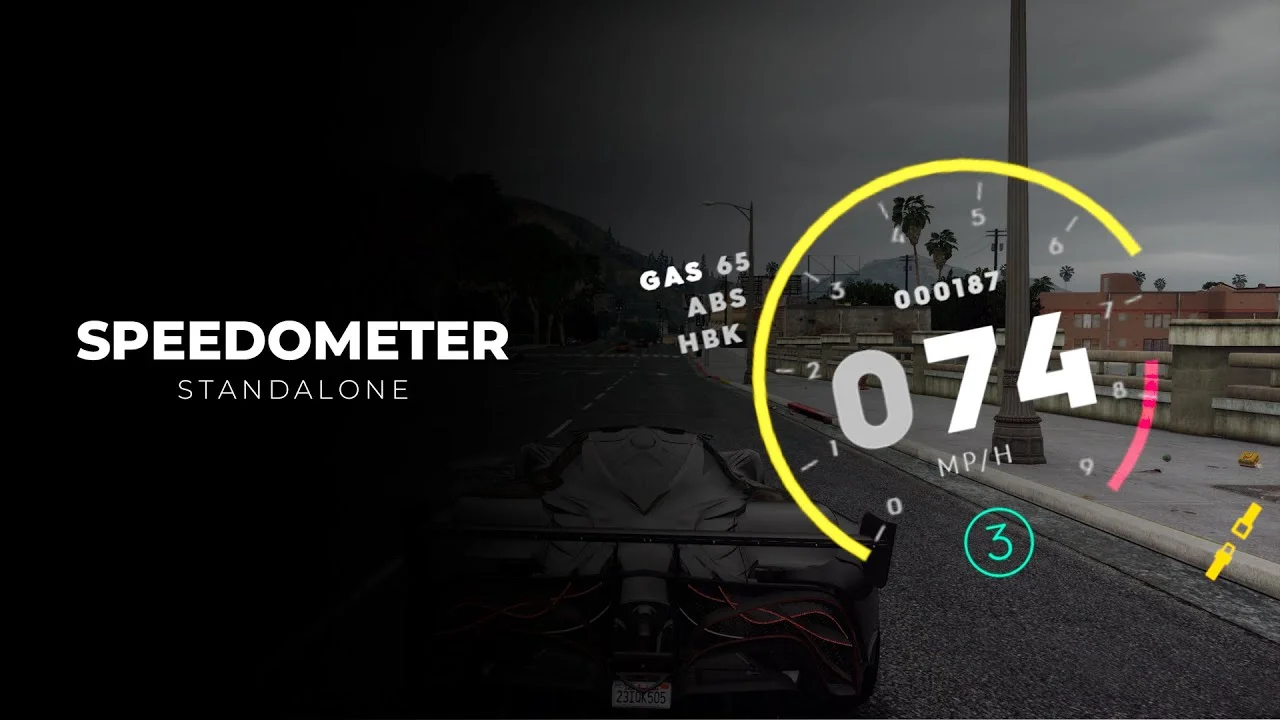
Compatible with ESX, QB-Core, vRP, and Standalone frameworks, this script ensures easy installation and seamless performance across all server types. Players can switch between MPH and KMH, toggle the seatbelt system, and track their vehicle’s total mileage — making it perfect for both roleplay and racing servers.
✔ Framework Support: Works with ESX, QB-Core, vRP & Standalone
✔ Speed Display Units: Switch between MPH or KMH
✔ Seatbelt System: Adds realism with ejection mechanics when unbuckled
✔ Fuel Gauge & Gear Display: Track fuel and transmission in real-time
✔ Odometer Tracking: Record total distance traveled
✔ Customizable UI: Adjust layout, colors, and transparency
✔ Optimized Performance: Lightweight and lag-free
Installation Guide:
 Extract the downloaded speedometer.zip.
 Move the folder into your server’s resources/[hud]/ directory.
 Add ensure speedometer to your server.cfg.
 Configure settings in config.lua — adjust speed units, enable seatbelt system, and odometer options.
 Restart your FiveM server to apply changes.
Key Features:
 Modern Crew 2-Inspired UI: Sleek, circular design with smooth animations.
🛠 Customizable Settings: Adapt for RP, racing, or freeroam servers.
 Optional SQL Support: Save odometer data persistently for each vehicle.
 Performance Friendly: Optimized code for stable gameplay.
Upgrade your FiveM driving experience with The Crew 2 Speedometer HUD — the perfect balance of style, realism, and performance for any framework.
Keywords: FiveM speedometer HUD, Crew 2 HUD, vehicle UI FiveM, QB-Core speedometer, ESX speedometer, odometer FiveM, fuel gauge HUD, seatbelt system FiveM, realistic driving UI
Compatible with ESX, QB-Core, vRP, and Standalone frameworks, this script ensures easy installation and seamless performance across all server types. Players can switch between MPH and KMH, toggle the seatbelt system, and track their vehicle’s total mileage — making it perfect for both roleplay and racing servers.
✔ Framework Support: Works with ESX, QB-Core, vRP & Standalone
✔ Speed Display Units: Switch between MPH or KMH
✔ Seatbelt System: Adds realism with ejection mechanics when unbuckled
✔ Fuel Gauge & Gear Display: Track fuel and transmission in real-time
✔ Odometer Tracking: Record total distance traveled
✔ Customizable UI: Adjust layout, colors, and transparency
✔ Optimized Performance: Lightweight and lag-free
Installation Guide:
Extract the downloaded speedometer.zip. Move the folder into your server’s resources/[hud]/ directory. Add ensure speedometer to your server.cfg. Configure settings in config.lua — adjust speed units, enable seatbelt system, and odometer options. Restart your FiveM server to apply changes.Key Features:
Modern Crew 2-Inspired UI: Sleek, circular design with smooth animations.🛠 Customizable Settings: Adapt for RP, racing, or freeroam servers.
Optional SQL Support: Save odometer data persistently for each vehicle. Performance Friendly: Optimized code for stable gameplay.Upgrade your FiveM driving experience with The Crew 2 Speedometer HUD — the perfect balance of style, realism, and performance for any framework.
Keywords: FiveM speedometer HUD, Crew 2 HUD, vehicle UI FiveM, QB-Core speedometer, ESX speedometer, odometer FiveM, fuel gauge HUD, seatbelt system FiveM, realistic driving UI
Last edited by a moderator: