


- #1
Thread Owner
: toxicfivem
Download the FiveM DV Pause Menu Script, a sleek and fully optimized in-game menu designed for fast and easy navigation. This standalone pause menu replaces the default interface with a clean, modern design that gives players instant access to the map, settings, resume, and quit options. Perfect for any type of FiveM server—whether ESX, QB-Core, or standalone—this script combines functionality, performance, and simplicity in one lightweight package.
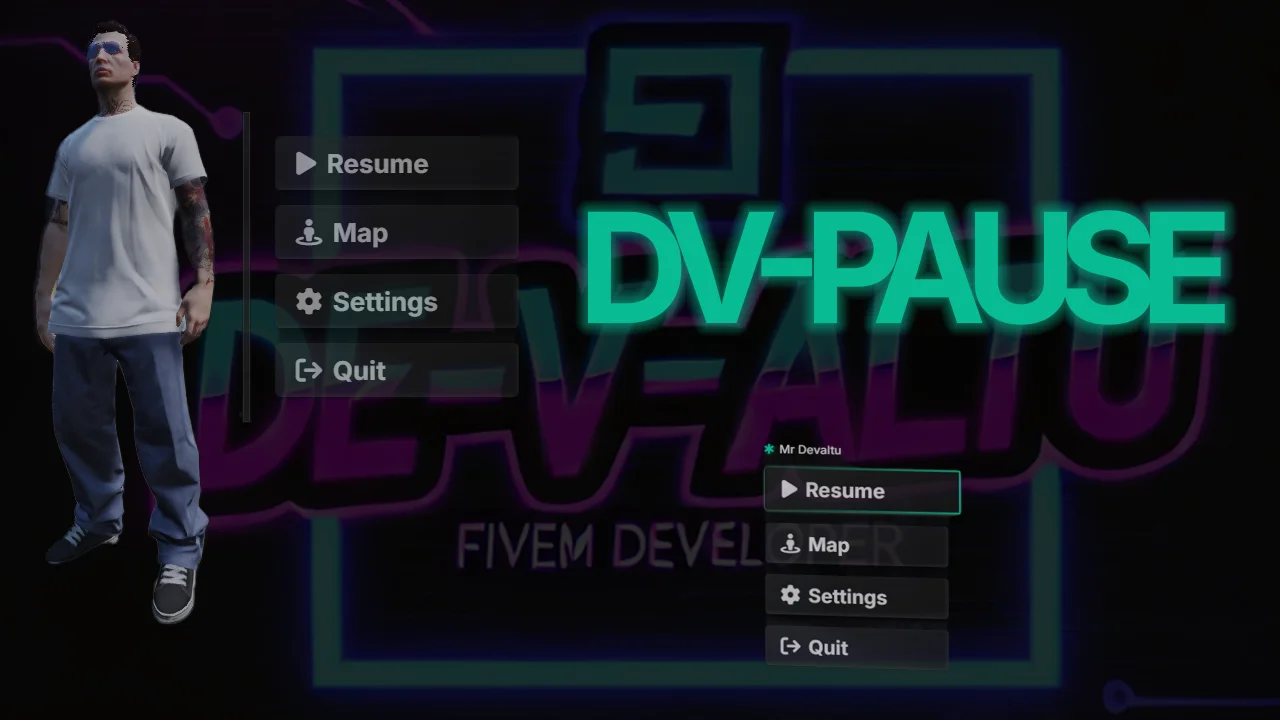
The DV Pause Menu Script allows players to quickly open a fully interactive menu during gameplay, providing shortcuts to essential functions such as opening the map, adjusting settings, and exiting the game. It’s built to improve the player experience by offering an intuitive and responsive UI that loads instantly with zero lag. Each button and layout element is customizable, allowing developers to easily integrate their server branding, logos, and colors into the menu design.
With 0.00ms resmon usage, this script is completely optimized, ensuring smooth performance across all systems. Setup is fast and straightforward—simply download, extract, place the script in your resources folder, and add ensure dv-pausemenu to your server.cfg. The configuration file includes full customization options for menu layout, icons, colors, and transitions, letting you adapt it to fit any gameplay theme or server type.
Whether you’re building a roleplay, PVP, or freeroam server, the DV Pause Menu Script provides a professional and user-friendly solution that enhances gameplay and accessibility. Its minimalist design ensures that players can navigate essential menus effortlessly, without unnecessary clutter or performance impact.
fivem dv pause menu, fivem standalone pause menu, fivem map settings menu, fivem optimized ui, fivem roleplay pause menu, fivem minimalistic script, fivem in-game menu, fivem customizable ui, fivem 0.00ms script, fivem qbcore esx menu
The DV Pause Menu Script allows players to quickly open a fully interactive menu during gameplay, providing shortcuts to essential functions such as opening the map, adjusting settings, and exiting the game. It’s built to improve the player experience by offering an intuitive and responsive UI that loads instantly with zero lag. Each button and layout element is customizable, allowing developers to easily integrate their server branding, logos, and colors into the menu design.
With 0.00ms resmon usage, this script is completely optimized, ensuring smooth performance across all systems. Setup is fast and straightforward—simply download, extract, place the script in your resources folder, and add ensure dv-pausemenu to your server.cfg. The configuration file includes full customization options for menu layout, icons, colors, and transitions, letting you adapt it to fit any gameplay theme or server type.
Whether you’re building a roleplay, PVP, or freeroam server, the DV Pause Menu Script provides a professional and user-friendly solution that enhances gameplay and accessibility. Its minimalist design ensures that players can navigate essential menus effortlessly, without unnecessary clutter or performance impact.
fivem dv pause menu, fivem standalone pause menu, fivem map settings menu, fivem optimized ui, fivem roleplay pause menu, fivem minimalistic script, fivem in-game menu, fivem customizable ui, fivem 0.00ms script, fivem qbcore esx menu
Last edited: