


- #1
Thread Owner
: toxicfivem
Download the FiveM Minimalistic HUD (vHud) — a sleek, fully customizable, and standalone HUD system that enhances immersion while maintaining top-tier performance. With multiple HUD modes, personal customization settings, and optional hunger/thirst support, this script offers complete flexibility for both casual and roleplay servers.
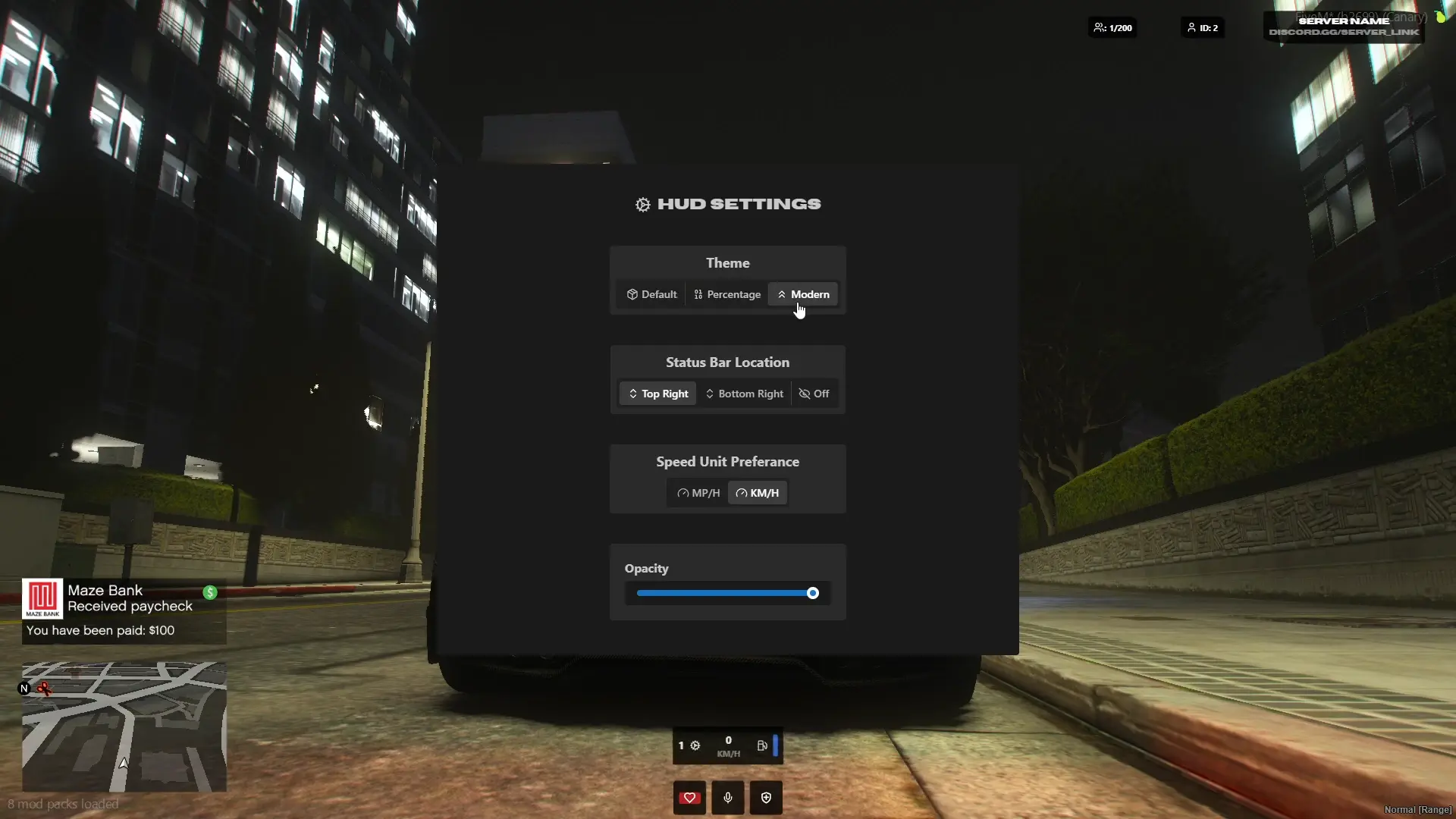
The Minimalistic HUD is designed to be simple yet powerful, allowing players to tailor the interface to their liking. It runs at 0.00ms resmon, ensuring smooth performance and zero lag, even on high-population servers. The HUD works perfectly on ESX, QB-Core, vRP, or as a completely standalone script with no dependencies.
✔ Standalone & Dependency-Free
✔ Multiple HUD Modes: Switch between styles easily
✔ Runs at 0.00 Resmon (Ultra-Optimized)
✔ Optional Hunger & Thirst Integration for ESX, QB, and vRP
✔ Customizable UI & Player Settings Menu
✔ Lightweight, Responsive, and Free
Installation Guide:
 Download and extract the vHud folder.
 Move it into your server’s resources/[hud]/ directory.
 Open your server.cfg and add the line:
ensure vHud
 Edit config.lua to customize UI layout, modes, and optional features.
 Restart your server to apply the HUD.
How It Works:
 Players can open the settings page to personalize their HUD.
Supports hunger and thirst data when using ESX, QB-Core, or vRP.
Switch between minimal or detailed HUD layouts in real time.
Key Features:
 Minimalistic UI: Clean, modern design with easy readability.
 Fully Customizable: Adjust layout, icons, colors, and visibility.
 Optimized Performance: Runs at 0.00ms for maximum efficiency.
Give your server a professional and immersive look with the FiveM Minimalistic HUD — the perfect blend of simplicity, performance, and customization.
Keywords: FiveM Minimalistic HUD, vHud, standalone HUD script, optimized UI, ESX HUD, QB-Core HUD, vRP HUD, customizable interface, hunger thirst HUD, 0.00 resmon HUD
The Minimalistic HUD is designed to be simple yet powerful, allowing players to tailor the interface to their liking. It runs at 0.00ms resmon, ensuring smooth performance and zero lag, even on high-population servers. The HUD works perfectly on ESX, QB-Core, vRP, or as a completely standalone script with no dependencies.
✔ Standalone & Dependency-Free
✔ Multiple HUD Modes: Switch between styles easily
✔ Runs at 0.00 Resmon (Ultra-Optimized)
✔ Optional Hunger & Thirst Integration for ESX, QB, and vRP
✔ Customizable UI & Player Settings Menu
✔ Lightweight, Responsive, and Free
Installation Guide:
Download and extract the vHud folder. Move it into your server’s resources/[hud]/ directory. Open your server.cfg and add the line:ensure vHud
Edit config.lua to customize UI layout, modes, and optional features. Restart your server to apply the HUD.How It Works:
Players can open the settings page to personalize their HUD. Supports hunger and thirst data when using ESX, QB-Core, or vRP. Switch between minimal or detailed HUD layouts in real time.Key Features:
Minimalistic UI: Clean, modern design with easy readability. Fully Customizable: Adjust layout, icons, colors, and visibility. Optimized Performance: Runs at 0.00ms for maximum efficiency.Give your server a professional and immersive look with the FiveM Minimalistic HUD — the perfect blend of simplicity, performance, and customization.
Keywords: FiveM Minimalistic HUD, vHud, standalone HUD script, optimized UI, ESX HUD, QB-Core HUD, vRP HUD, customizable interface, hunger thirst HUD, 0.00 resmon HUD
Last edited: