


Download the FiveM Player & Server Info HUD, a simple yet powerful NUI interface that displays essential server information directly on-screen. This customizable HUD shows your Player ID, Discord link, and website URL, helping players connect, find resources, and stay engaged with your community — all while maintaining a sleek, minimal design and top-tier performance.
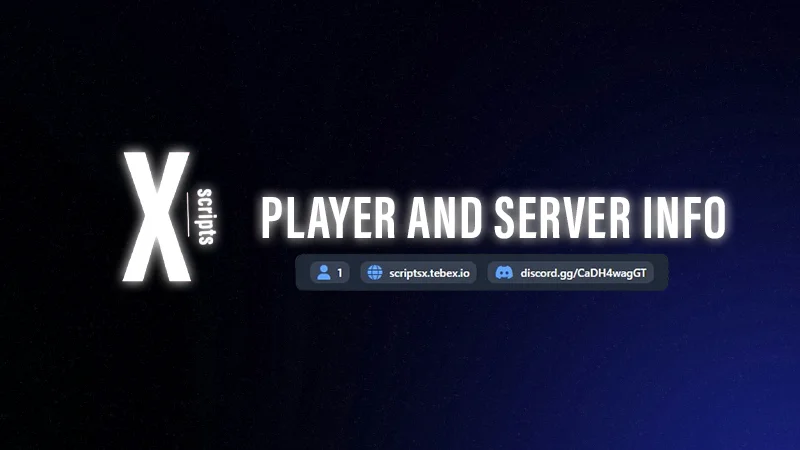
The X Player & Server Info HUD works with any FiveM server (Standalone, ESX, or QB-Core) and integrates easily into your existing UI. Whether you run a roleplay community, freeroam world, or competitive server, this HUD helps players access your support links quickly and stay connected both in and out of the game.
✔ Standalone & Framework Compatible: Works with ESX, QB-Core, and custom servers
✔ Displays Player ID, Discord Invite & Website Link
✔ Fully Customizable UI: Adjust text, colors, fonts, and positioning
✔ Optimized for Performance: Lightweight, minimal resmon usage
✔ Perfect for Roleplay & Community Servers
Key Features:
 Player Info Display: Shows in-game Player ID — great for support and admin tools.
 Discord & Website Links: Encourage players to join your community or visit your site directly.
 Customizable Design: Match the HUD to your server’s branding and color theme.
 Low Resource Usage: Runs smoothly without affecting gameplay.
Installation Guide:
 Move the player-server-info folder into your server’s resources directory.
 Add the following line to your server.cfg:
ensure player-server-info
 Open the config file to add your Discord invite and website URL.
 Restart your server — your new info HUD is ready!
Enhance your community’s professionalism with the FiveM Player & Server Info HUD — a simple, customizable tool that connects your players and builds engagement.
Keywords: FiveM info HUD, player ID HUD, Discord link display, server info HUD, website HUD FiveM, NUI script, ESX QB-Core compatible HUD, roleplay HUD, FiveM UI customization, community info display
The X Player & Server Info HUD works with any FiveM server (Standalone, ESX, or QB-Core) and integrates easily into your existing UI. Whether you run a roleplay community, freeroam world, or competitive server, this HUD helps players access your support links quickly and stay connected both in and out of the game.
✔ Standalone & Framework Compatible: Works with ESX, QB-Core, and custom servers
✔ Displays Player ID, Discord Invite & Website Link
✔ Fully Customizable UI: Adjust text, colors, fonts, and positioning
✔ Optimized for Performance: Lightweight, minimal resmon usage
✔ Perfect for Roleplay & Community Servers
Key Features:
Player Info Display: Shows in-game Player ID — great for support and admin tools. Discord & Website Links: Encourage players to join your community or visit your site directly. Customizable Design: Match the HUD to your server’s branding and color theme. Low Resource Usage: Runs smoothly without affecting gameplay.Installation Guide:
Move the player-server-info folder into your server’s resources directory. Add the following line to your server.cfg:ensure player-server-info
Open the config file to add your Discord invite and website URL. Restart your server — your new info HUD is ready!Enhance your community’s professionalism with the FiveM Player & Server Info HUD — a simple, customizable tool that connects your players and builds engagement.
Keywords: FiveM info HUD, player ID HUD, Discord link display, server info HUD, website HUD FiveM, NUI script, ESX QB-Core compatible HUD, roleplay HUD, FiveM UI customization, community info display
Last edited by a moderator: